

SMTP Connection Credentials
Connect to Routee SMTP with your Application Id and Application Secret — same credentials as the HTTP API.
Use your Connect Application Id as the SMTP username and Application Secret as the password. Messages sent over SMTP appear in the same delivery logs as the HTTP API.
Connection settings
| Setting | Value |
|---|---|
| SMTP server | smtp10.amdtelecom.net |
| Port | 25 (STARTTLS required before auth) or 587 (TLS) |
| Username | Your Application Id |
| Password | Your Application Secret |
| Encryption | STARTTLS on port 25; TLS on port 587 |
| Auth methods | BASIC, LOGIN |
Your account must have at least one verified domain and one authorized sender before SMTP sending is enabled.
PrerequisiteComplete Setting up your account first.
Find your Application Id and Secret
- Sign in to go.routee.net and open Applications.
- Your default application is listed in the first row — copy the Application Id.
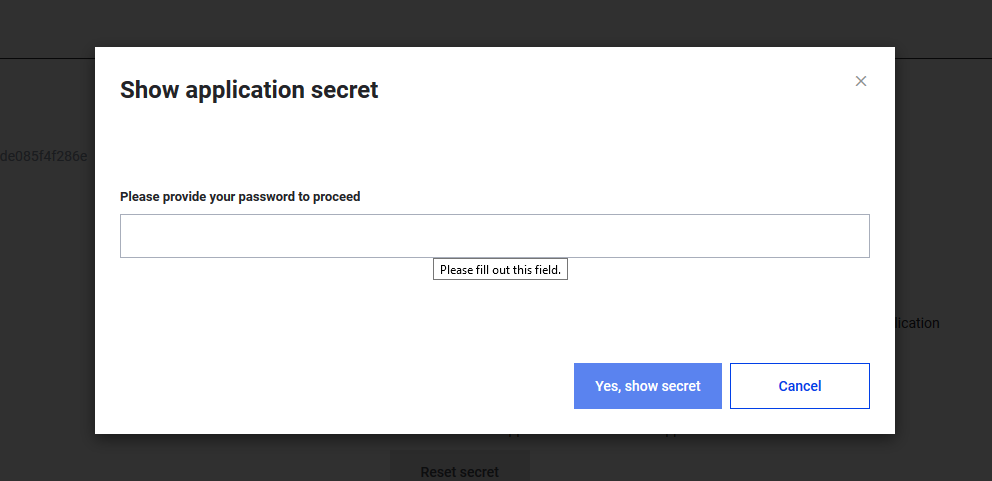
- Click the lock icon next to Application Secret to reveal it (your account password is required).
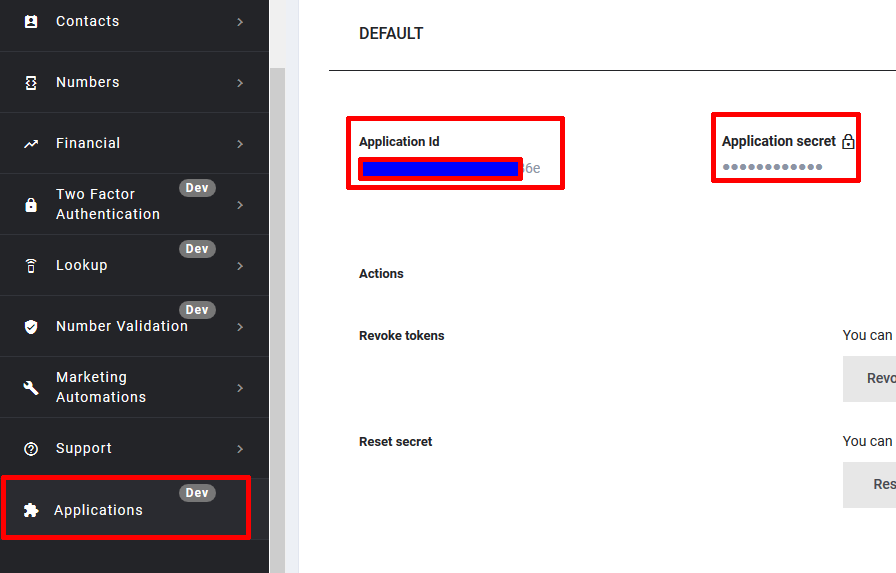
Reveal the Application Secret
Click the lock next to Application secret, enter your account password, and confirm.
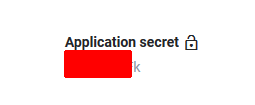
The secret is shown once unlocked — use it as your SMTP password.
Next stepSend an email over SMTP — working examples in Python and swaks.
Updated about 1 month ago